
An auto dialer simply calls phone numbers from a contact list, reducing manual calling calls. It helps businesses save time, improve call productivity, automate client outreach, connect agents faster, and run large-scale outbound calling efforts better or more firmly..
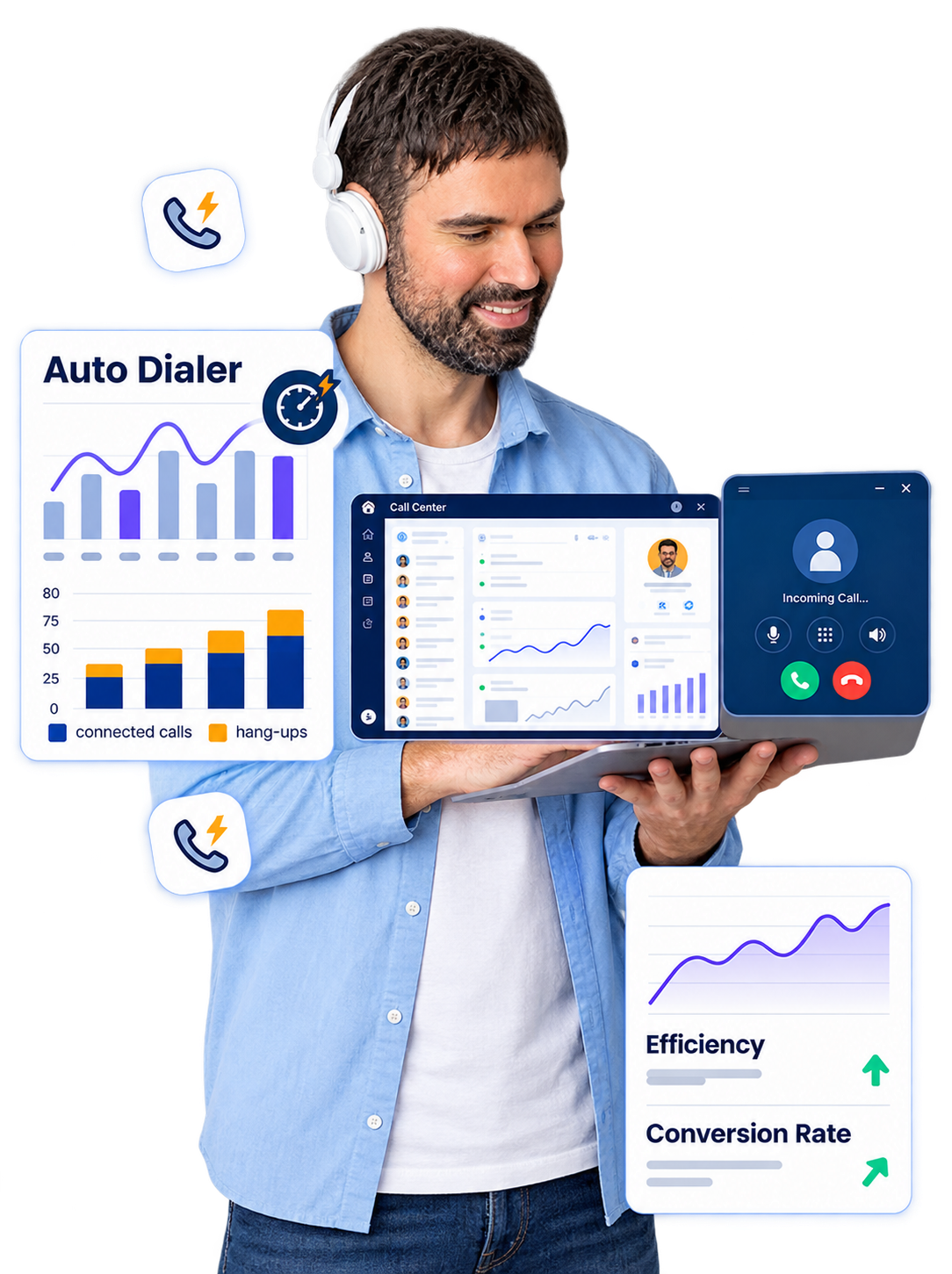
Outbound callers are unlikely to produce many calls a day if they need to look for numbers, phone them, wait for a response, and update records after each call.
An auto dialer solution makes it simpler. It automates the number dialing and allows calling staff to quickly move from one client's call to another.
Auto dialer software can make calling easier or faster, whether you're responding to leads, messaging clients, setting polls, or employing a normal contact center.
A client database may contain thousands of contacts, but manually dialing each number can consume valuable time and effort.
An Auto Dialer helps transform your existing contact list into structured outbound campaigns. It automates the dialing process so your team can focus on meaningful customer conversations and important follow-ups.
Build a more systematic approach to daily calling activities with organized campaigns and structured customer outreach.
Improve agent productivity with an automated dialing solution that reduces manual calling tasks and helps your team focus on meaningful customer conversations.
Manual dialing requires agents to enter phone numbers individually and wait for calls to connect. These repeated tasks can create small delays throughout the working day, reducing the time agents have available for customer interactions.
An auto dialer automates the dialing process, helping businesses reduce manual number entry and improve outbound calling efficiency. By managing repetitive dialing activities, agents can spend more time speaking with customers and handling their needs.
When a call is answered, the system can route the conversation according to predefined workflows. This allows agents to focus on understanding customer requirements, resolving queries, and completing the purpose of each call.
The system selects a contact from the calling list.
The auto dialer initiates the outbound call.
The system identifies when the call is answered.
Agents focus on customer needs and call resolution.
Every business follows a different approach to managing outbound calls. Some teams work with lead lists, while others contact existing customers, follow up with prospects, or manage multiple steps throughout the customer journey.
Our auto dialer solution enables businesses to customize calling schedules according to their operational requirements. Teams can manage contact information, configure campaign settings, maintain call records, and review performance data from one centralized platform.
Organize leads, prospects, and customer information in one place.
Configure calling times according to your business requirements.
Set campaign objectives and organize different calling activities.
Review call records and analyze campaign performance data.
Whether you are managing lead follow-ups, customer communication, appointment reminders, or sales campaigns, your calling workflow can be organized around your operational goals.
Keep customer and lead information organized so your team can access relevant contact details while managing calling activities.
Configure calling times to support different customer engagement needs.
Maintain calling information and review activity from a centralized platform.
Review campaign activity and performance information to maintain better visibility across your outbound calling workflow.
Organize contacts, configure campaigns, and manage calling activities through one connected workflow.
Your calling software should support the way your business already operates. Instead of creating another disconnected system, an auto dialer can work alongside the tools your sales and customer service teams use every day.
An auto dialer solution can integrate with business applications such as CRM platforms, helping teams connect customer information with their calling activities. This reduces the need to switch between multiple systems and supports a more organized customer communication process.
Help sales and service teams access relevant customer details while managing calling activities through connected business systems.
Minimize repetitive movement between applications by bringing relevant calling information closer to your existing business workflow.
Support better coordination between sales and customer service teams by keeping customer communication information more accessible.
Manual dialing may work for a small number of calls, but managing a growing volume of customer conversations becomes more difficult as business requirements increase. Repeated number entry, large contact lists, and inconsistent follow-ups can affect the efficiency of outbound calling teams.
An auto dialer solution helps businesses organize calling activities, automate repetitive dialing tasks, and manage campaigns through a more structured workflow.
Repeatedly entering phone numbers can consume valuable time and reduce the time available for meaningful customer conversations.
Automated dialing reduces the need to manually enter numbers one by one.
Working with large customer lists manually can make it difficult to organize calling priorities and maintain a consistent process.
Campaign-based calling helps teams structure customer lists around specific calling objectives.
Without organized activity records, teams may find it harder to review completed calls, campaign progress, and calling performance.
Reports and activity records help teams review calling actions and monitor campaign information.
Managing follow-ups without a defined process can lead to missed calling tasks and uneven customer communication.
Structured campaigns can help teams organize customer follow-ups according to their calling requirements.
As outbound calling operations expand, coordinating multiple agents and calling activities can become more complex.
A structured auto dialer workflow can help teams manage calling activities across growing operations.
Automate routine dialing tasks and create a more structured process for contact management, follow-ups, and calling activity tracking.
As your business grows, your calling requirements evolve. Whether you are launching a small sales team or expanding customer outreach, your auto dialer should adapt to changing campaigns, team sizes, workflows, and business goals.
Choose a scalable auto dialer system that supports different calling strategies, agent requirements, phone configurations, and CRM integrations—so your calling process can grow without unnecessary complexity.
Support changing agent requirements as your team expands.
Adapt calling workflows for different marketing and outreach activities.
Align calling operations with CRM and business system requirements.
Adjust phone settings and business processes as your demands change.
Set up a better way for your calling team to work with leads and customers.
Look into auto dialer options that work with your business, the number of calls you make, the size of your team, and the way you already communicate. Get in touch with Smart AI Dialer to discuss your requirements and request a sample.
Find answers to common questions about auto dialer software, sales campaigns, CRM integration, and customer calling workflows.
Yes. Sales staff may use auto dialer software to manage lead lists and automate repetitive dialing in outbound activities.
No. An auto dialer is mainly built to speed up your dialing tasks. Agents can continue to manage customer conversations, handle queries, and monitor calling activities.
Depending on the platform settings, connectivity options, and supported formats, existing customer contact lists can be imported into or linked with dialing software.
CRM integration may be offered depending on the auto dialer system and the CRM software being used. Integration capabilities can vary between platforms.


Connect with your customers faster, smarter and more efficiently with AI-powered calling.